AetherCycle System Requirements
Official minimum and recommended PC specs before the December 4, 2026 Early Access launch.
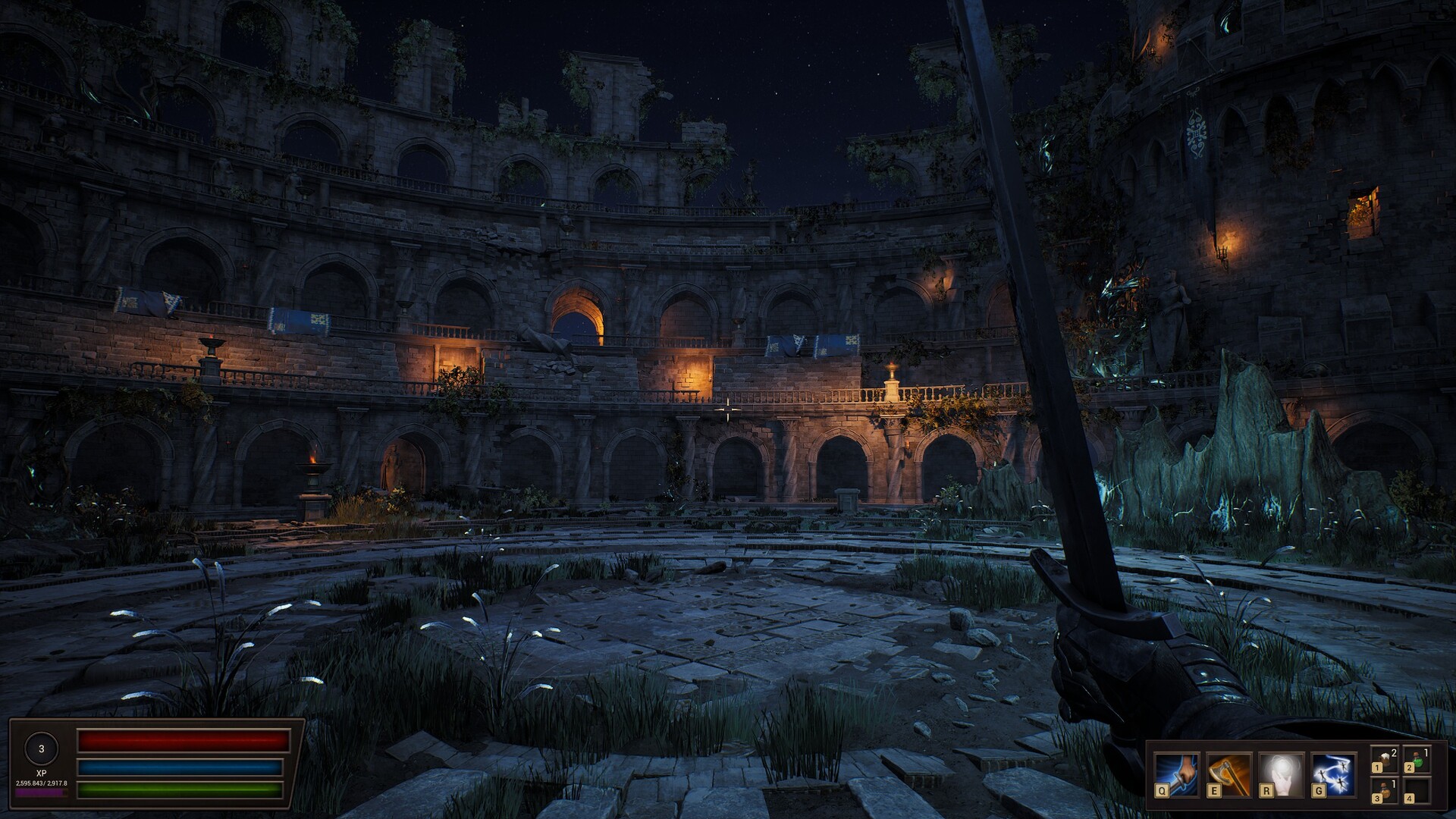
AetherCycle launches into Steam Early Access on December 4, 2026 as a Windows PC title. Developer and publisher DEEP INTERACTIVE publishes clear minimum and recommended hardware targets so you can wishlist with confidence — or upgrade before install day. This page collects those specs, explains what they mean for first-person combat and open-world exploration, and points you back to gameplay guides once your machine is ready.
Platform scope first: at launch the game is available via Steam only on Windows. There is no console SKU in the Early Access FAQ. If your group plans Co-op Multiplayer (up to eight players), every participant needs a qualifying PC, not a living-room bundle.
Official minimum specifications
These are the minimum requirements listed for AetherCycle:
| Component | Minimum |
|---|---|
| CPU | Intel Core i5-8400 / AMD Ryzen 3 3300X |
| Memory | 12 GB RAM |
| GPU | NVIDIA GeForce GTX 1060 3GB / AMD Radeon RX 570 4GB |
| Storage | 30 GB available space |
| Storage type | SSD preferred |
| OS / store | Windows PC via Steam |
Meeting minimum means you should be able to run the game at playable settings. First-person action, large outdoor regions (largest about 4×4 km, plus smaller 2×2 and 1×1 areas), dungeons, and particle-heavy magic fights all stress CPU, GPU, and disk streaming. If you sit exactly on minimum GPU VRAM, lower shadows and view distance before you lower integrity of combat readability.
Official recommended specifications
These are the recommended targets:
| Component | Recommended |
|---|---|
| CPU | Intel Core i7-8700K / AMD Ryzen 5 3600X |
| Memory | 16 GB RAM |
| GPU | NVIDIA GeForce RTX 1080 Ti / AMD Radeon RX 5700 XT |
| Storage | 30 GB available space |
| Storage type | SSD |
| OS / store | Windows PC via Steam |
Recommended hardware is the comfort zone for higher settings, stabler frame times in co-op boss fights, and smoother traversal when The Cycle spikes enemy density. If you bounce between solo exploration and eight-player sessions, aim here. Frame time consistency matters as much as average FPS when telegraphs decide whether you dodge a slam.
Storage, SSD, and install planning
Budget 30 GB free before you download. SSD preferred is not marketing fluff for an open-world ARPG with interiors, caves, and streaming terrain. Installing on an HDD can mean hitching when you cross physical entrances between regions or when loot and enemy pops spike during a Cycle shift.
Leave headroom beyond 30 GB for Windows pagefile, Steam overlay caches, and screenshot folders. If you record co-op nights, store video on a separate drive so capture does not contend with game streaming.
How specs interact with gameplay systems
AetherCycle is a loot-driven first-person action RPG. Combat mixes melee and magic; builds are free despite Mage / Archer / Warrior starting roles. Low FPS hurts aim and dodge timing more than it hurts a turn-based game. Before blaming balance, verify performance — then refine tactics with the Combat Guide.
The Cycle changes enemies, difficulty, loot, and events without wiping your character, gear, or builds. Harsher windows can mean more on-screen threats. A GPU that barely holds 60 FPS in a quiet village may dip when an event packs the ridge. Read The Cycle Explained for the design intent, then use settings to keep fights readable.
Co-op adds player characters, abilities, and loot spam on screen. If your rig is minimum-spec, host or join smaller groups first, then scale toward eight. See Co-op Multiplayer for session rules (text chat at launch, no built-in voice, no PvP).
Pre-launch checklist
- Confirm Windows + Steam are updated.
- Compare your CPU / GPU / RAM to the tables above.
- Free at least 30 GB on an SSD if possible.
- Update GPU drivers from NVIDIA or AMD.
- Wishlist or purchase via the official Steam app linked from Links.
- Skim Getting Started so launch day is about playing, not hunting FAQ answers.
- Bookmark the Guides Hub and Updates for patch notes that may adjust performance.
Languages, support, and EA scope (hardware-adjacent)
The game launches with English only, with more languages planned — irrelevant to GPU choice, but relevant if you share a PC household. Character creation is not in at EA launch (future feature); full armor sets still change appearance. None of that changes the 30 GB install.
For product support, DEEP INTERACTIVE lists Director@deepinteractive.org. Performance bug reports are more useful when they include CPU, GPU, RAM, storage type, resolution, and whether you were solo or in co-op when the hitch occurred.
If you are below minimum
Be honest before December 4, 2026. Options:
- Upgrade RAM to at least 12 GB (16 GB recommended).
- Move the install to an SSD.
- Replace a sub-1060 / sub-RX 570 class GPU.
- Lower resolution and effects aggressively if you are close but not equal to minimum.
Do not expect console versions or cloud-only streaming as a substitute at EA launch — the published path is local Windows Steam.
After your rig is ready
Return to gameplay prep: Getting Started, The Cycle Explained, Combat Guide, and Co-op Multiplayer. Track meta experiments on the Tier List and role notes on Players. Promo pages, if they appear, will live under Codes.
Stable hardware will not clear a boss for you — but unstable hardware will make every boss harder than DEEP INTERACTIVE designed. Match the tables, install on SSD, then go play.
Frequently Asked Questions
Quick answers to the most common questions.
What are the minimum specs for AetherCycle?
CPU i5-8400 / Ryzen 3 3300X, 12 GB RAM, GTX 1060 3GB / RX 570 4GB, 30 GB storage, SSD preferred, Windows PC via Steam.
What are the recommended specs?
CPU i7-8700K / Ryzen 5 3600X, 16 GB RAM, GTX 1080 Ti / RX 5700 XT, 30 GB storage on SSD, Windows PC via Steam.
Is AetherCycle on consoles at Early Access launch?
No. Early Access is Windows PC via Steam only.
How large is the install?
About 30 GB. An SSD is preferred for smoother open-world streaming.
Who do I contact for support?
DEEP INTERACTIVE lists Director@deepinteractive.org for support. Include your hardware details with performance reports.